Vibe-coding is now an official word in the dictionary

AI is transforming everything — including the English lexicon.

Andrej Karpathy, the OpenAI cofounder and former AI director at Tesla, coined the term “vibe-coding” in a post on X in February. Just nine months later, it has become an official word in the dictionary.

“There’s a new kind of coding I call ‘vibe coding’ where you fully give in to the vibes, embrace exponentials, and forget that the code even exists,” Karpathy wrote. “It’s possible because the LLMs (e.g., Cursor Composer with Sonnet) are getting too good,” he added.

Since then, vibe-coding has evolved beyond tech jargon to become a bona fide word and a legitimate skill commanding sizable salaries. Collins Dictionary, a renowned dictionary published by HarperCollins with more than 200 years of history, named vibe-coding its 2025 Word of the Year this week.

Collins categorizes vibe-coding as a noun and slang term, defining it as “the use of artificial intelligence prompted by natural language to assist with the writing of computer code.”

Over the past year, vibe-coding has become the standard approach for both experienced and novice coders. Whether building new apps or testing out concepts, developers are increasingly relying on this AI-assisted method to enhance productivity and creativity.

The rise of vibe-coding has also attracted significant investment. Companies developing vibe-coding platforms have secured substantial funding rounds from Silicon Valley’s top investors.

Lovable, founded in 2023, announced a $200 million Series A raise at a $1.8 billion valuation led by Accel in July. In September, Replit raised $250 million at a $3 billion valuation, led by Prysm Capital. That same month, Vercel announced a $300 million funding round at a $9.3 billion valuation, also led by Accel.

As AI continues to reshape the coding landscape, vibe-coding is poised to become an essential skill for the future of software development.
https://www.businessinsider.com/vibe-coding-dictionary-2025-11

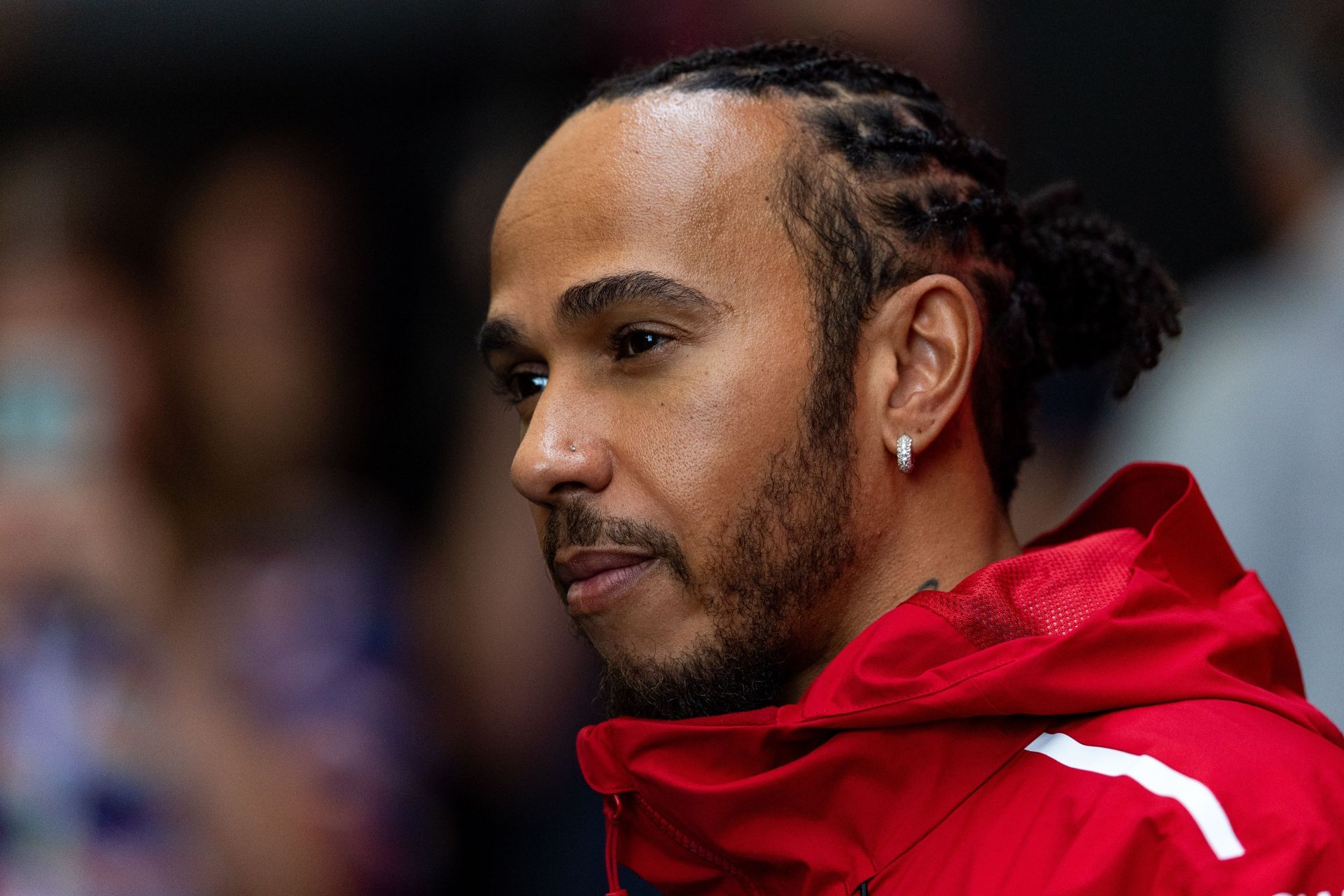
A sombre looking Lewis Hamilton apologizes to Ferrari after a disastrous F1 Brazilian GP

Lewis Hamilton issued an apology to both his team and fans following a challenging race in Brazil.

The Ferrari driver’s outing did not go as planned, leading to a disappointing performance.

Acknowledging the setback, Hamilton expressed regret for the results and thanked supporters for their ongoing encouragement.
https://www.sportskeeda.com/f1/news-a-sombre-looking-lewis-hamilton-apologizes-ferrari-disastrous-f1-brazilian-gp

Bills score with Keon Coleman 35-yard TD, trail Dolphins 16-6 in fourth quarter

At long last, the Bills have gotten on the board. Quarterback Josh Allen connected with Keon Coleman on a deep pass down the left sideline, with the receiver taking it in for a 35-yard touchdown. This marked Coleman’s third touchdown of the season. He now has three receptions for 46 yards on the day.

The two-point conversion attempt was no good, keeping Miami’s two-possession lead intact with the score at 16-6. The touchdown capped off an impressive eight-play, 98-yard drive for Buffalo, producing the team’s first points of Week 10.

Earlier in the half, the Bills had an opportunity to score on their first second-half drive, reaching the red zone. However, Allen threw an interception that ended the chance to add to their score.

In injury news, Bills tight end Dalton Kincaid has been downgraded to out due to a hamstring injury.
https://www.nbcsports.com/nfl/profootballtalk/rumor-mill/news/bills-score-with-keon-coleman-35-yard-td-trail-dolphins-16-6-in-fourth-quarter

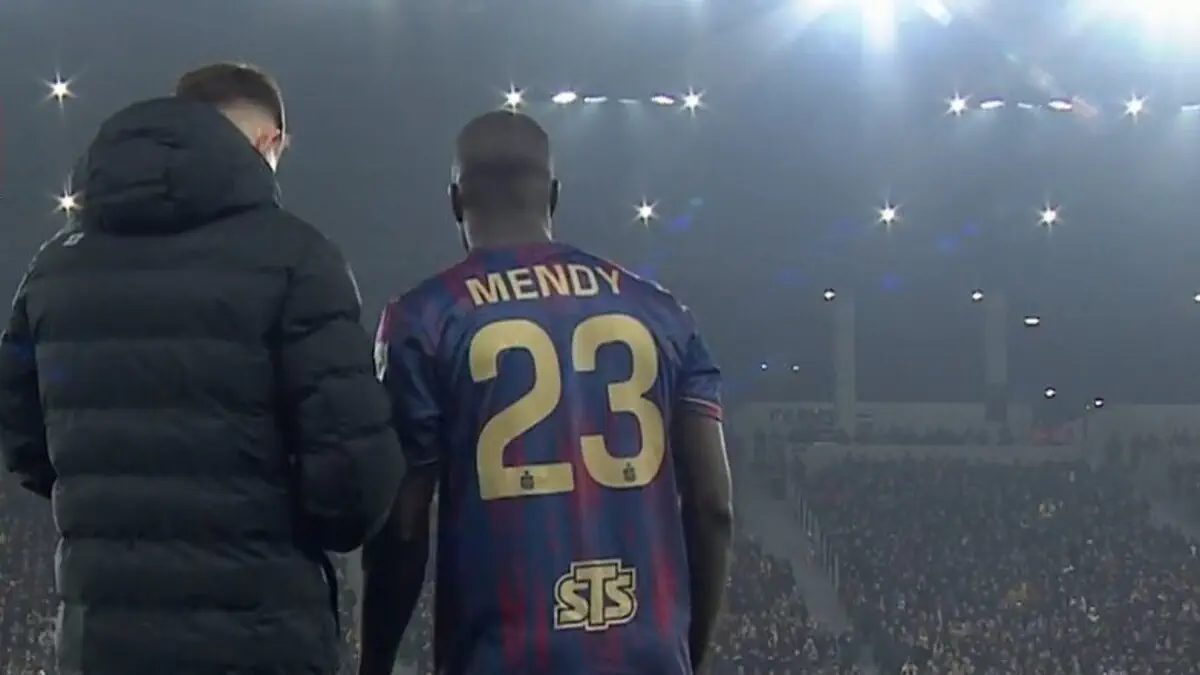
Benjamin Mendy makes his debut in Poland

Benjamin Mendy Makes His Debut in Poland

Benjamin Mendy finally made his Ekstraklasa debut with Pogoń Szczecin on November 9, coming on against Jagiellonia Białystok.

Having joined the club in mid-September, Mendy took some time to adjust before stepping onto the pitch for his first official match. Fans and teammates alike were eager to see how the experienced player would perform in Poland’s top football division.

His debut marks an important milestone in Mendy’s career as he looks to make a strong impact in the Ekstraklasa and help Pogoń Szczecin achieve their season goals.

https://foot-africa.com/en/news/benjamin-mendy-makes-his-debut-in-poland-954020/

Trump Administration Orders States To Claw Back Food Stamp Payments as Agriculture Department Appeals Lawsuit

The Department of Agriculture is demanding that states immediately “undo” any work they have done to send out SNAP benefits, more commonly known as food stamps, according to a memo first reported by the New York Times.

This directive comes as Agriculture Secretary Brooke Rollins appeals a judge’s order requiring her to start releasing some SNAP funds to states despite the ongoing government shutdown.

A coalition of churches, community centers, and labor unions sued Secretary Rollins at the end of October after she refused to tap into an emergency fund designed to keep SNAP benefits flowing during a shutdown. A judge in Rhode Island ordered her to release these funds. However, in an emergency appeal to the Supreme Court, Secretary Rollins requested that the order be put on hold. Justice Ketanji Brown Jackson granted this request.

In a memo sent to states on Saturday night, the Department of Agriculture stated that any state that has already disbursed full SNAP benefits must reverse those actions. The memo reads:
“To the extent States sent full SNAP payment files for November 2025, this was unauthorized. Accordingly, States must immediately undo any steps taken to issue full SNAP benefits for November 2025.”

Instead, the USDA says states may proceed with SNAP payments at a 35 percent reduction. This was the department’s original position before the Rhode Island judge ordered full benefits to be distributed.

The Department of Agriculture did not immediately respond to requests for comment.

The memo also warns states about potential consequences for noncompliance. “Failure to comply with this memorandum may result in USDA taking various actions, including cancellation of the Federal share of State administrative costs and holding States liable for any overissuances that result from the noncompliance,” the department said.

The legal battle is now headed back to the First Circuit Court of Appeals, where the Trump administration is appealing Judge John McConnell’s order to pay full SNAP benefits. However, this case could become moot if the government reopens in the coming days.

This SNAP payment dispute has put more than 40 million Americans across over 20 million households at risk of losing their food stamp benefits for the month.

Earlier this month, the Department of Agriculture told Judge McConnell in a legal filing that it was working to distribute partial benefits. However, President Trump later threatened to withhold all funds in defiance of the judge’s order.

On his Truth Social platform, the president wrote:
“SNAP BENEFITS, which increased by Billions and Billions of Dollars (MANY FOLD!) during Crooked Joe Biden’s disastrous term in office (Due to the fact that they were haphazardly ‘handed’ to anyone for the asking, as opposed to just those in need, which is the purpose of SNAP!), will be given only when the Radical Left Democrats open up government, which they can easily do, and not before!”

Within hours, White House press secretary Karoline Leavitt clarified the statement, telling reporters that the president was referring to any future shutdowns, not the current one.

Later that day, a political appointee at the Department of Agriculture confirmed in a filing to Judge McConnell that partial benefits were being sent out to states.
https://www.nysun.com/article/trump-administration-orders-states-to-claw-back-food-stamp-payments-as-agriculture-department-appeals-lawsuit

What your photos are secretly telling everyone (and how to fix it)

Every photo you take is secretly telling a story you might not want to share. Buried inside the image file is hidden metadata that can reveal exactly when and where you took it, what camera or phone you used, and even your camera settings. Unfortunately, this information can be misused by anyone online to find your home address or track your movements. This “secret” data is stored within the EXIF metadata.

While EXIF data can be useful for sorting and finding your photos, it can also become a privacy nightmare. Here’s what you need to know about EXIF—and, more importantly, how to fix the issue.

## Why You Should Remove Metadata From Your Photos

Any digital camera or mobile phone you use to take a photo automatically captures and embeds a bunch of details into the image file. This information, called metadata—specifically EXIF (Exchangeable Image File Format)—includes camera settings like shutter speed, aperture, ISO speed, white balance, as well as image dimensions, resolution, color space, GPS location, and the date and time of capture.

While this information is useful for photographers and anyone interested in learning more about a photo, posting images online with embedded metadata can pose privacy and security risks. For example, the GPS coordinates in a picture of your backyard could be exploited by someone to identify your home address and potentially doxx you.

By stripping metadata from your photos, you remove all EXIF information and can share pictures online without worrying about exposing sensitive details.

## How to Remove Metadata From Your Photos

There are various tools available to remove metadata, but choosing the right one ensures the best results for your device and needs.

### Use ExifCleaner if You’re on Windows

ExifCleaner is a popular, free tool for removing metadata from images on Windows. It supports all major image formats such as JPG, PNG, GIF, and TIFF, and its standout feature is batch processing, allowing you to remove metadata from multiple images at once.

ExifCleaner also works with videos (MOV, MP4, M4A) and PDF documents.

**How to Use ExifCleaner:**

1. Download ExifCleaner from its official website and install it on your PC.
2. Launch the app. Use *File > Open* or drag and drop images into the window.
3. Add multiple images for batch processing if desired.
4. ExifCleaner will strip the metadata and display the before-and-after details in a table.
5. Hover over the “Exif Before” number to view the original embedded details.

**Important:** ExifCleaner overwrites the original images, so back up your photos if you want to retain the metadata.

**Alternative native method on Windows:**

– Open File Explorer and navigate to your image.
– Right-click the file, select **Properties**, and go to the **Details** tab.
– Click **Remove Properties and Personal Information**.
– Choose to create a copy with all possible properties removed or selectively remove them from the original.

### ImageOptim Is the Best Option on a Mac

While you can use ExifCleaner on Mac, ImageOptim offers a superior experience with a cleaner interface and support for more file formats. It allows selective metadata removal, so you can keep useful info while stripping sensitive details.

ImageOptim also optimizes images to reduce file size without sacrificing quality, and lets you adjust compression settings.

**How to Use ImageOptim:**

1. Download and install ImageOptim from its website.
2. Launch the app, then click **Files > Add Files** to import images, or simply drag and drop them.
3. ImageOptim will automatically remove metadata and optimize the images.
4. View file size reduction in the **Savings** column.
5. To undo changes, select the image, then choose **File > Revert to Original**.

You can customize preferences and toggle supported file formats through the *Tools* menu.

**Note:** macOS does not have a native tool for removing all image metadata, but you can remove location data easily in Preview or the Photos app.

**To remove location data in Preview:**

– Open the image in Preview.
– Click the **i** (info) button on the toolbar.
– Go to the **GPS** tab and click **Remove Location Info**.

**To remove location data in Photos:**

– Open the photo.
– Click **Image > Location > Hide Location**.

### Android Users Can Use Photo Exif Editor

Most Android gallery or file manager apps show image metadata but don’t allow removal. For this, try the free **Photo Exif Editor** app.

It offers detailed metadata viewing and lets you selectively remove tags, such as location data, while preserving other information.

**How to use Photo Exif Editor:**

1. Download and install from the Google Play Store.
2. Open the app and grant access to your photos.
3. Tap **Photos** and select the image.
4. Tap the eye icon to view metadata.
5. Tap the EXIF icon in the top-right corner.
6. Check **Select the Tags You Want to Remove** or mark individual tags.
7. Tap the save icon and allow permission to overwrite the image or create a copy with metadata removed.

**Note:** There is no native Android method to remove metadata from photos.

### On an iPhone? Exif Metadata Has You Covered

The iPhone App Store has few third-party apps for metadata removal, but **Exif Metadata** is a reliable, free option. It lets you quickly view, edit, and remove metadata, and includes an extension for in-app viewing within the Photos app.

**How to use Exif Metadata:**

1. Download and install Exif Metadata from the App Store.
2. Open the app and grant Photos access.
3. Tap the **+** button and select an image.
4. View the metadata and tap **Remove All Metadata** or **Remove EXIF** to clear specific info.
5. The app will ask if you want to delete the original photo; confirm or save a copy.

You can also edit metadata manually by choosing **Edit EXIF**, modifying values, and saving.

If you only want to remove location data, the iPhone’s built-in Photos app can do this:

– Open a photo.
– Tap the **i** button.
– Tap **Adjust** next to the location.
– Select **No Location** to clear GPS data.

## Final Thoughts

Clearing metadata from your photos is a smart privacy step before sharing on social media or online. However, you don’t always have to remove all metadata entirely.

A good approach is to selectively remove sensitive details like GPS coordinates or personal identifiers while keeping useful information intact.

Choose the method and tool best suited to your device and your needs to strike the perfect balance between privacy and functionality.
https://www.howtogeek.com/what-your-photos-are-secretly-telling-everyone/

M42-Powered 1970 BMW 2002 5-Speed

**Exchange Rates**

You are bidding for this item in USD. If you have the winning bid, you will need to make your payment to the seller in USD. Please be aware that it is your responsibility to check the current conversion rate. Exchange rates may fluctuate between now and the payment due date after the auction ends.

**Taxation**

If you are the highest bidder, you will also need to pay the seller any applicable taxes or VAT. Please note that your bid may not include these amounts. Be sure to review the relevant details included in the listing and ensure you have read and understood this information before placing your bid.

**Import Taxes**

If you plan to import the vehicle to your country, you may be responsible for any import-related taxes. Please factor these potential costs into your bidding decision.
https://bringatrailer.com/listing/1970-bmw-2002-37/

Paul Tagliabue, NFL commissioner who ran league in era of riches and expansion, dies at 84

**Notice of Your Privacy Rights in Oregon**

Because you are accessing TribLIVE.com from a location covered by Oregon’s Privacy Law, certain features of the site—such as videos and social media elements—are currently disabled.

If you wish to proceed to the site under these conditions, please note that doing so will effectively opt you out of the sale of your personal data. [Click here to continue](#).

However, please be aware that you will not have access to the full range of features on TribLIVE.com that rely on third-party networks and may require your personal data.

We recommend bookmarking this page so you can manage your privacy preferences at any time in the future.
https://triblive.com/sports/paul-tagliabue-nfl-commissioner-who-ran-league-in-era-of-riches-and-expansion-dies-at-84/

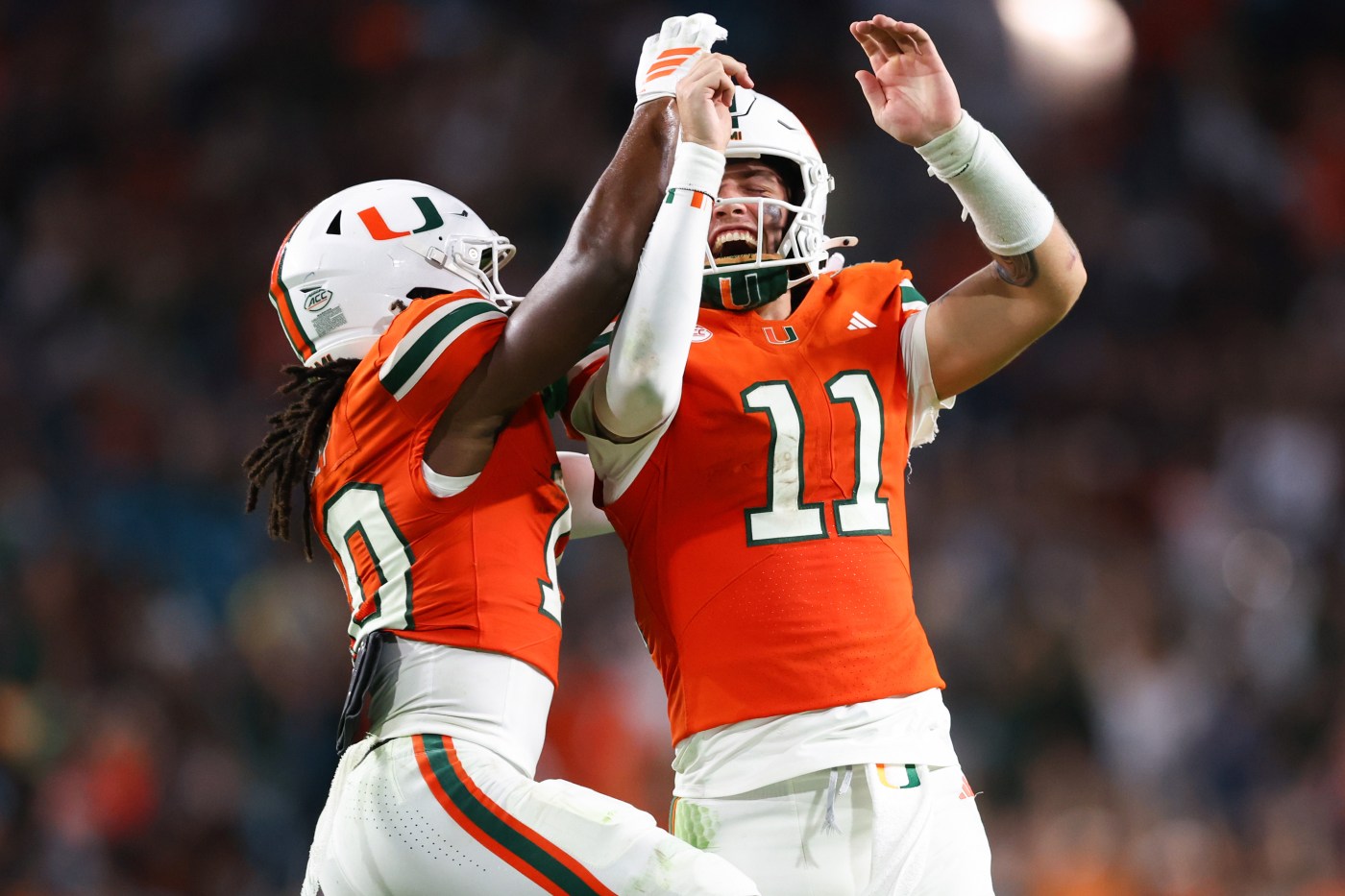
Five things we learned in Miami Hurricanes’ needed win over Syracuse

The Miami Hurricanes bounced back from their disappointing loss to SMU with a four-touchdown win over a struggling Syracuse team, keeping their playoff hopes alive. Miami needed the win and ultimately delivered the victory. Here are five things we learned from Saturday evening’s game:

**1. The Offense Started Poorly**

Hurricanes fans were growing restless in the first half, as Miami’s first four drives ended in punts. UM did not get on the board through the first 27 minutes against a defense that has been one of the worst in the Power 4 conferences. Several factors tripped the Hurricanes up, including a potential big play that was batted down at the line and mistakes like dropped passes that stalled drives.

As halftime neared, Miami’s offense was clearly struggling — a bad look for a unit ranked just above 50th nationally. Looking ahead, the Hurricanes will need to put pressure on teams early. Miami coach Mario Cristobal said, “I thought the players attacked the opportunities with a lot of energy and I think after some moments of struggling, we finally just cut it loose. I think it’s that simple. We called it more freely, played more freely, and stopped worrying about the outcome, focusing more on the process.”

**2. The Offense Ultimately Showed Up**

After a slow first half, UM began putting points on the board. Offensive coordinator Shannon Dawson pulled new plays from his bag of tricks, including running wide receiver Malachi Toney as a Wildcat quarterback. Toney threw a touchdown pass to quarterback Carson Beck, who in turn tossed a backward pass to offensive lineman Francis Mauigoa for a touchdown.

The Hurricanes finished the game with 385 total yards, slightly below their season average, scoring 31 points and putting the game out of reach by the start of the fourth quarter. Freshman running back Girard Pringle Jr. provided a spark on offense, averaging 7.9 yards per carry and scoring his fourth touchdown of the season. Cristobal praised him, saying, “Great eyes. He sees it really well. Very explosive. You saw that he has a different gear as well.”

**3. Defense Wins Games**

While Miami’s offense struggled early, the defense dominated. Syracuse’s offense was not the toughest test, but the Hurricanes passed with flying colors. Miami held Syracuse scoreless until the third quarter and consistently caused havoc.

UM recorded a season-high three sacks and 11 tackles for loss. They also forced three takeaways: two interceptions, including a pick-six by Keionte Scott, and a fumble recovery. Defensive end Akheem Mesidor emphasized the defensive mindset: “At the end of the day, if the opponent doesn’t score, they don’t win.”

The one blemish on the defense’s record was run defense. Syracuse rushed for 161 yards, or 214 yards when adjusted for sack yardage, marking UM’s worst performance against the run this season.

**4. Penalties Cleaned Up**

The Hurricanes have struggled with penalties all season, but fouls were not a major issue this week. Miami finished with five penalties for 54 yards — not ideal, but better than the eight penalties for over 60 yards they had averaged entering the game.

Beck commented, “When all three facets of the game — special teams, defense, offense — are all working hand in hand, it creates those types of clean games. You eliminate penalties, you eliminate turnovers, and usually, you have efficient plays that move you in a positive direction, which ultimately leads to wins.”

Importantly, the offensive line cleaned up its act, not having a single penalty called against it after committing five pre-snap penalties in the loss to SMU.

**5. Akheem Mesidor Dominates**

Defensive end Rueben Bain Jr. has received much attention for his excellent season, and rightly so. But Bain’s counterpart on the opposite end of the defensive line, Akheem Mesidor, deserves just as much recognition. Mesidor has been outstanding this season and had one of his best games as a Hurricane on Saturday.

He finished with five tackles, a team-leading 3.5 tackles for loss, and 1.5 sacks. Pro Football Focus gave Mesidor a team-best 87 defensive grade. He holds a 90.3 defensive grade for the season, ranking 19th nationally among defensive players with 200 or more snaps.

“As a defensive lineman, the best thing for me is getting sacks,” Mesidor said. “So to be able to do that and then have defensive line coach Jason Taylor come out and celebrate with me is amazing.”

With this win, the Miami Hurricanes have kept their playoff hopes alive, showing resilience and growth on both sides of the ball. The team will look to build on these positives as the season progresses.
https://www.sun-sentinel.com/2025/11/09/five-things-we-learned-in-miami-hurricanes-needed-win-over-syracuse/

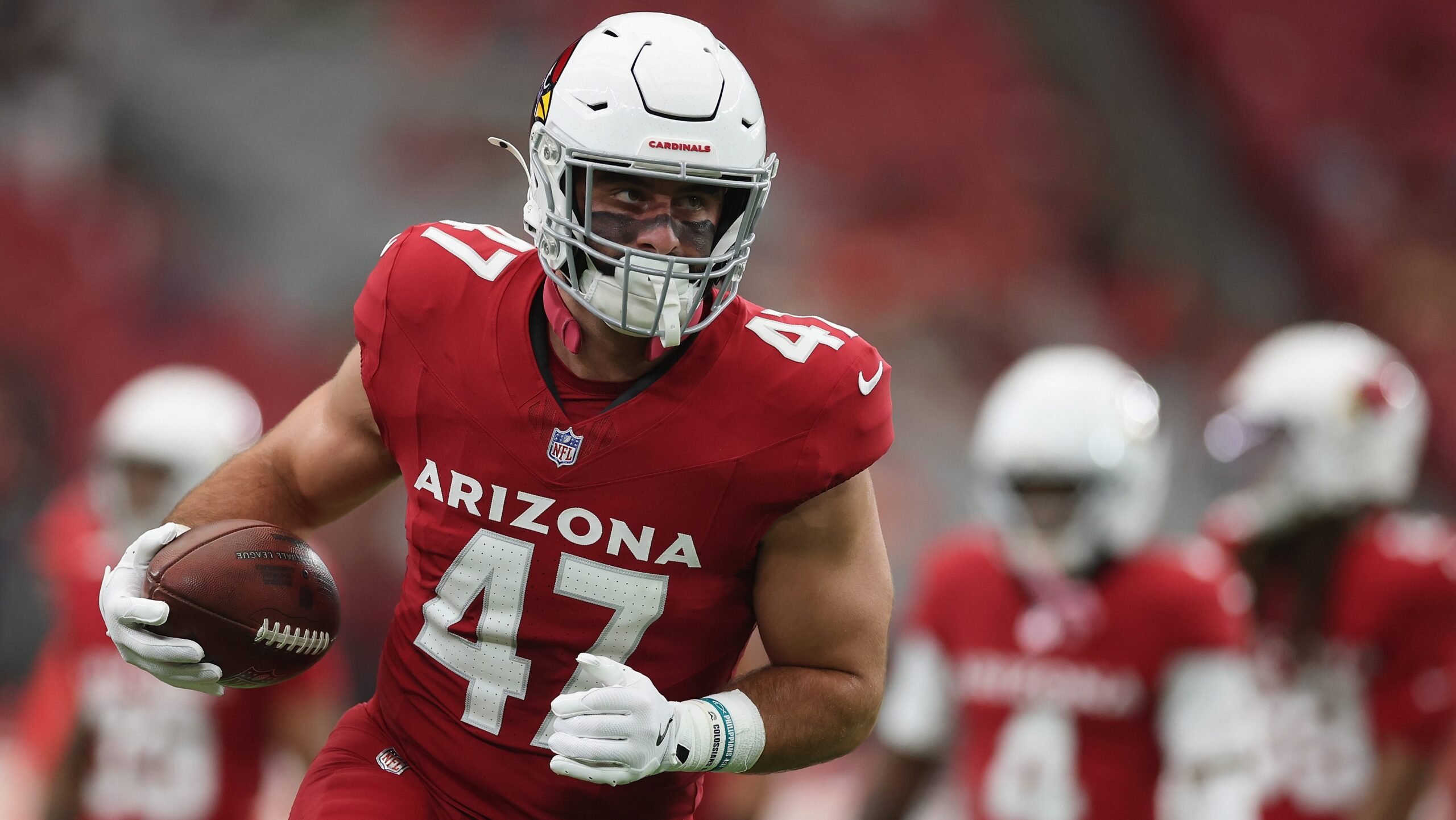
NFL Announces Punishment for Cardinals Tight End in Win Over Cowboys

The Arizona Cardinals put an end to their five-game losing streak in Week 9 with a decisive 27-17 victory over the Dallas Cowboys on Monday Night Football. Following this important win, the Cardinals have officially committed to Jacoby Brissett as their starting quarterback moving forward, placing Kyler Murray on injured reserve due to a foot injury.

With a clearer path set on offense, the team appears to be heading in the right direction after this confidence-boosting victory. However, not everything from the game was positive. Tight end Josiah Deguara was penalized by the NFL for an on-field infraction during the Cardinals’ recent win over the Cowboys.

### Josiah Deguara Fined by the NFL

The 2025 season has been a rollercoaster for the Cardinals. After starting strong with two consecutive wins, the team suffered five straight losses, compounded by Murray’s foot injury. Although the Week 9 win against Dallas is a promising sign, Arizona’s playoff chances remain uncertain.

The decision to move forward with Brissett as the starting quarterback is practical for the time being. Murray is still recovering, and Brissett has demonstrated improved performance during his time on the field compared to the former No. 1 overall pick. This development raises significant questions about Murray’s future with the team—issues that the Cardinals will need to address down the line.

For now, the focus is on securing as many wins as possible, and the team did well to get back in the win column in Week 9. Unfortunately for Deguara, not all aspects of the game were positive. The veteran tight end was fined $6,500 by the league for a low block committed during the contest.

“Arizona Cardinals TE Josiah Deguara was fined $6,500 for this low block last week,” Donnie Druin of Sports Illustrated noted in a post on X.

### Cardinals Looking to Continue Winning Ways in Week 10

Although the video clip of Deguara’s low block appeared to show a relatively harmless play, the NFL continues to prioritize player safety. The league is actively working to eliminate dangerous blocks, such as low blocks, to protect players and keep them on the field.

As the Cardinals prepare for Week 10, maintaining their momentum and keeping key players healthy will be critical. The team will hope to build on the positive steps made in Week 9 and continue their push toward a successful season.
https://heavy.com/sports/nfl/arizona-cardinals/josiah-deguara-fine-punishment-low-block/

Exit mobile version
Sitemap Index