

Winter is fast approaching, and with it comes prime season for skiing and snowboarding. As you start booking lift tickets and planning weekend getaways, it’s worth thinking about how you’ll capture those exhilarating runs down the mountain. If you’ve been searching for the right camera to document your adventures, the GoPro MAX2 might be exactly what you need. Even better, it’s currently available at a 20% discount for Black Friday-its first major price drop-cutting $100 off the usual price and bringing it down to just $400 for a short time. See at Amazon Durable and Ready for Anything GoPro is practically synonymous with action cameras, and for good reason. The brand helped popularize compact, mountable cameras capable of surviving punishing outdoor conditions. The MAX2 continues that tradition with a rugged, waterproof design that can withstand depths of up to 33 feet (10 meters). Whether you’re diving below the surface, carving through fresh powder, or tearing down muddy trails on your bike, this camera is built to go wherever the action is. The GoPro MAX2 has a remarkably smooth image stabilization. Normally, point-of-view footage from rough terrain like rocky paths or uneven snow comes out shaky and hard to watch. GoPro solves this problem with advanced in-camera stabilization and software correction, minimizing jitter and keeping your footage smooth without significantly cropping the frame. The result is clean, steady video that looks far more polished than what most handheld devices can produce. Exceptional Image Quality The GoPro MAX2 offers impressive visual clarity, capturing true 8K video packed with fine detail. Despite its small size, the camera delivers professional-grade results. It even supports full 360-degree recording, allowing you to capture your surroundings in every direction. This is perfect for skiing, biking, or any high-speed sport where the environment becomes part of the experience. To complement the visuals, the GoPro MAX2 incorporates six microphones positioned to record audio from all angles. This spatial sound input adds depth and realism to your footage, making playback feel more immersive. The camera also includes object tracking technology, ensuring your subject remains in focus even as distances shift rapidly during fast-paced activities. Thanks to HDR support, the GoPro MAX2 performs well in nearly any lighting condition. Whether you’re filming in the dim shade of a forest trail or under bright afternoon sun glinting off fresh snow, the camera can balance highlights and shadows to maintain natural, accurate detail. It also doubles as a capable still-photo camera, capturing 29-megapixel images. If you prefer pulling stills from video, the GoPro Quik app makes it simple to extract high-quality photos from your favorite recorded moments. Effortless Footage Management Accessing and storing your content is straightforward. Once you’re back indoors, just connect the camera to your Wi-Fi. While it recharges, it can automatically upload all your footage to the cloud, ensuring everything is backed up without any extra work on your part. The GoPro MAX2’s first-ever discount for Black Friday makes now an excellent time to pick one up. With 20% off its regular $500 price tag, you can score this powerful, adventure-ready camera for only $400-an offer that won’t last long.
https://kotaku.com/this-gopro-max2-action-camera-sees-its-first-ever-price-drop-ahead-of-black-friday-2000647419
Tag: straightforward


Assassin’s Creed: Black Flag Remake Set To Launch In March 2026
Ubisoft has finally released its latest financial report, following a short delay to an accounting muck-up. In it, we found out that the Prince of Persia: Sands of Time remake is launching before the end of March, 2026. But according to the report and some new information, the Assassin’s Creed: Black Flag might be joining it. The financial report from Ubisoft lists several titles will be released before the end of the company’s Q4 period, which is March 31st. One of them is an “unannounced” title. Well, according to InsiderGaming, that unannounced project is the Assassin’s Creed: Black Flag remake. More importantly, though, InsiderGaming says that they understand the game “is scheduled to release the week of March 23rd.” At this point, the Black Flag remake has become an open secret within the industry, so it really has just become a cause of when and not if. At first, it seemed like the project would be a fairly straightforward remaster of one of Assassin’s Creed most beloved entries, but recent leaks have suggested it’s a much more involved remake. Back in September, for example, a website claimed to have got sent details of what to expect in the remake, and also stated they were hearing about a March 2026 release. According to the information, the remake will be running on the same engine as Assassin’s Creed: Shadows, will have the modern-day sections taken out and will even add in RPG elements to make it more like the modern Assassin’s Creed games. I love Black Flag, so some of these changes are baffling. Making it more like the modern games in the series is the last thing I could possibly want from the remake, so my hype for the remake has been tempered. Still, I am interested to see what it ends up being.
https://wolfsgamingblog.com/2025/11/21/assassins-creed-black-flag-remake-set-to-launch-in-march-2026/


Dash Looks Ready to Run With Bullish Signs Seen in Exploding Altcoins
DASH is showing the same bullish structure and volume behavior seen in altcoins that rallied earlier, signaling strong long-term momentum. Breaks above the 200-day moving average (MA200) and repeated higher lows suggest that DASH is entering a sustained bullish cycle similar to previous outperforming altcoins.
The movement of the Dash (DASH) token has again attracted attention after the recent bullish pattern appeared similar to that of other altcoins that had previously surged. This pattern is no coincidence. Popular analyst Master Ananda believes Dash’s technical structure on the daily timeframe exhibits characteristics similar to ZEN (Horizen) and several other coins that have emerged from a sideways phase.
In a market that often fluctuates, the emergence of similar patterns usually signals that it’s Dash’s turn to catch up—especially when its technical signals begin to strengthen on multiple fronts.
### Dash Shows Clear Structural Strength in Its Renewed Uptrend
Master Ananda explained that Dash experienced a bullish surge last year before entering a correction period that ended in April. However, the market surprised many when Dash did not form a lower low in September as expected. Instead, it formed a double-bottom pattern in June—considered a strong foundation for a longer-term trend reversal.
He further highlighted that the higher low formed at the end of September, although slightly different from the major pattern, is still typical within the context of altcoin movements which often show unpredictable dynamics. After forming this higher low, Dash successfully broke through the 200-day moving average and continued its upward trajectory.
Furthermore, Dash’s price movement appeared consistent, with each retracement occurring at a higher level than the start of the bullish cycle. Trading volume was also an important factor. Master Ananda noted that a surge in volume typically follows a breakout, while a sideways phase usually comes with decreased volume. Many other trading pairs without similar movement remain in this low-volume, pre-breakout state.
### Additional Bullish Signals from Analysts
Analyst Captain Faibik reinforced the bullish outlook by pointing to a falling wedge pattern on DASH that has entered a breakout and retest phase. He considered this phase complete and assessed that the asset has potential to continue its rally—potentially doubling in value.
This straightforward view aligns with the technical structure observed over the past few weeks. A confirmed falling wedge pattern often triggers a continuation of an uptrend, especially if the market is in a calmer accumulation phase.
As of press time, DASH is trading around $78.53, up 2.37% over the last 4 hours and 15.50% over the past 24 hours.
### Privacy Coin Revival Gains Strength Across Global Markets
Market attention on Dash has been rising since early November, according to CNF. One key driver is growing interest in privacy tokens, especially as data protection becomes increasingly important amid ongoing regulatory pressures.
Social sentiment toward Dash has also increased as the community becomes more active. Such a dynamic often signals that an asset is entering a more vibrant phase after a period of stagnant activity.
In emerging markets, Dash holds a unique position due to its practical usage in payment transactions, rather than just as a speculative investment. This practical advantage helps keep Dash relevant as investors look for alternatives outside major coins.
—
With strong technical signals, increasing volume, and growing community engagement, Dash appears poised to continue its upward momentum in the evolving crypto market.
https://www.crypto-news-flash.com/dash-looks-ready-to-run-with-bullish-signs-seen-in-exploding-altcoins/
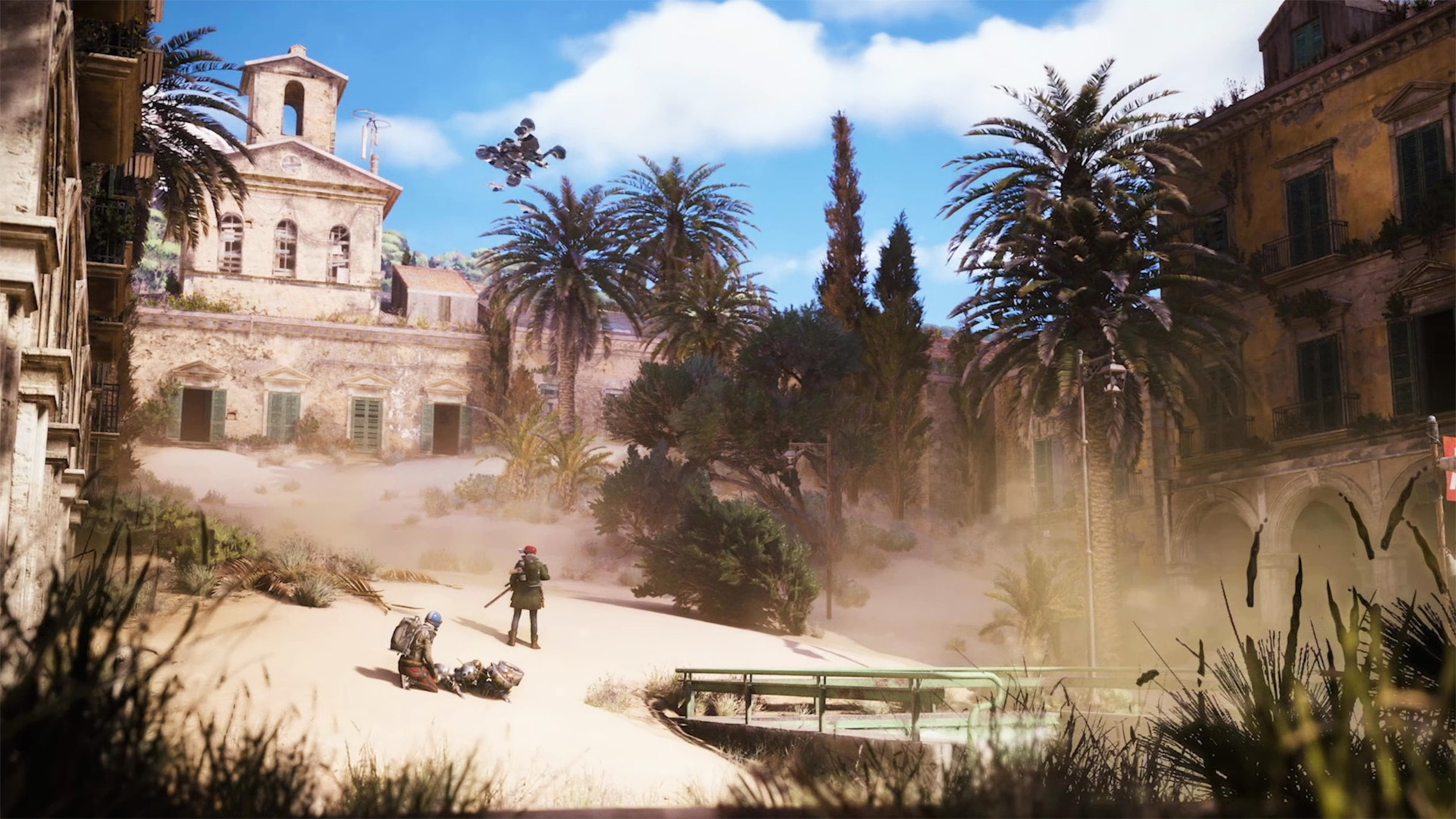
How to complete Life of a Pharmacist in ARC Raiders
How to Complete Life of a Pharmacist Quest in ARC Raiders
Life of a Pharmacist is one of the later-game quests in ARC Raiders. While the quest itself is straightforward, it can become challenging due to the noisy environment and potentially hostile territory you must navigate to reach the objective. Here’s everything you need to know to complete it successfully.
Quest Overview
To complete Life of a Pharmacist, you need to visit a specific pharmacy located in the Buried City, break in, and then photograph four different locations inside to document the life of the pharmacist.
Locating the Arabusto Pharmacy
The pharmacy in question is the Arabusto Pharmacy, situated in Piazza Arabusto. You can find it near the collapsed highway on the eastern edge of the Buried City map.
Steps to Complete the Quest
- Breach the Pharmacy: Start by breaking through the front door of Arabusto Pharmacy.
- Gather Loot: If you have available inventory space, feel free to collect any valuable loot from the shelves inside.
- Head Upstairs: Make your way to the living quarters located at the back of the store by going upstairs.
- Photograph the Four Key Locations: You will need to document four areas in the living quarters. Luckily, you don’t need to bring a camera—as soon as you interact with each objective, your Raider automatically pulls one out to take a picture.
Details on Photographing the Four Locations
- Pharmacist’s Family: At the top of the stairs, take a picture of the family portraits hanging on the wall to document the pharmacist’s family.
- Pharmacist’s Skill: In the same room, interact with the piano on the western wall to capture the pharmacist’s skill.
- Pharmacist’s Hobbies: Head into the adjacent room and photograph the potted plants sitting atop the shelves to highlight the pharmacist’s hobbies.
- Pharmacist’s Taste: Finally, take the stairs down to the home’s first floor and interact with the table nearby to document the pharmacist’s taste.
Finishing Up
Once you have documented all four locations in the pharmacy, Life of a Pharmacist will be complete. You can then return to Speranza to collect your reward. Note that you do not need to extract from the area to complete the quest.
With these steps, you should be able to efficiently complete the Life of a Pharmacist quest and earn your reward in ARC Raiders.
https://www.shacknews.com/article/146770/how-to-complete-life-of-a-pharmacist-in-arc-raiders

How to get and use Wolfpack Grenades in Arc Raiders
Wolfpack Grenades in Arc Raiders: How to Obtain and Use Them Effectively
Wolfpack Grenades in Arc Raiders are a special type of explosive device designed to deal significant damage to ARC enemies. These grenades have become a crucial part of Embark’s survival gameplay, essential not only for defeating enemies but also for defending yourself against their attacks. While traditional explosives such as Gas Grenades remain useful, the Wolfpack Grenades stand out as a unique item from the Epic tier loot category.
This article will guide you on how to obtain and use Wolfpack Grenades effectively in Arc Raiders. Note: Parts of this article reflect the author’s subjective opinion.
How to Get Wolfpack Grenades in Arc Raiders
Wolfpack Grenades can spawn as loot across all available maps in the game. You may find a few inside lockers and containers during raids; however, they do not have fixed spawn locations. Because of this unpredictability, it becomes important to locate the Blueprint to craft these grenades yourself.
To find the Wolfpack Blueprint, focus on Points of Interest (POIs) marked under the Residential category. Thoroughly search containers, drawers, and other interactable objects to increase your chances of finding the Blueprint.
Once you have obtained the Wolfpack Blueprint, the next step is to acquire and upgrade an Explosives Workstation to Level 3. This upgrade unlocks the crafting ability for Wolfpack Grenades, allowing you to produce them by gathering the necessary raw materials.
Materials Needed to Craft Wolfpack Grenades
- 2 Explosive Compounds
- 2 Sensors
The Explosive Compound can be crafted using the Refiner workstation. Sensors, on the other hand, must be scavenged from Topside areas—specifically inside security containers located in POIs with the Technological tag.
Be cautious when searching for Sensors, as these areas carry a small risk due to patrolling ARCs and other Raiders. Always clear the surroundings before breaching any security containers to avoid being caught off guard.
Upgrading the Explosives Workstation may take a considerable amount of time, but it is a worthwhile investment. Having easy access to one of the most effective items against ARCs can greatly improve your chances of survival.
How to Use Wolfpack Grenades in Arc Raiders
Using Wolfpack Grenades is straightforward and similar to other explosives in the game. The grenade has an impressive 100-meter radius and is most effective when thrown directly at ARC enemies.
After crafting the grenade, place it in your backpack or assign it to a Quick Use slot for easy access during combat. Properly aim the grenade’s trajectory before throwing to maximize its impact.
Once deployed, the grenade explodes into several smaller missiles that independently target ARCs in different locations within the blast radius. However, keep in mind that it is risky to use Wolfpack Grenades against agile enemies like Leaper ARCs. It is best to deploy the grenade only when such enemies are stationary.
Stay Updated
For more tips, guides, and news about Arc Raiders, be sure to follow Sportskeeda and stay tuned for the latest updates.
Related Guides and Articles:
- ARC Raiders review: An extraction shooter with purpose, and probably the best one
- Advanced Mechanical Components locations in Arc Raiders (Where to find)
- How to complete the Medical Merchandise quest in Arc Raiders
- How to find Laboratory Reagents in ARC Raiders
Are you stuck on today’s Wordle? Our Wordle Solver will help you find the answer.
https://www.sportskeeda.com/esports/how-get-use-wolfpack-grenades-arc-raiders

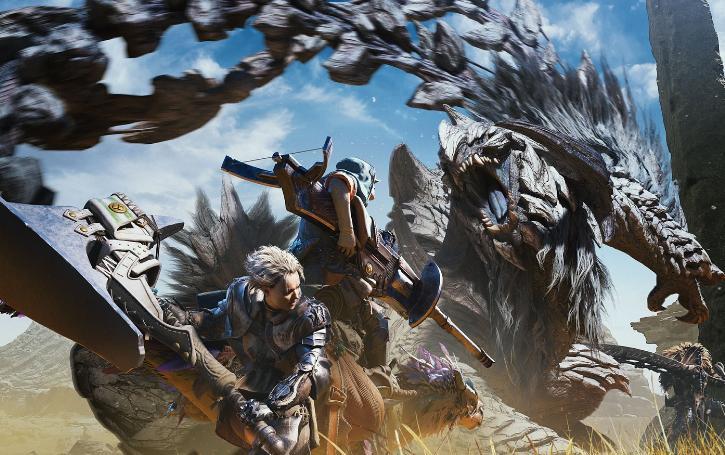
Master the Hunt: The Ultimate Monster Hunter Wilds Beginner Guide with Must-Know Tips for New Players on How to Start MH Wilds Right!
Monster Hunter Wilds Beginner Guide: How to Start and Essential Tips for New Players
Monster Hunter Wilds offers a rich and rewarding experience but can be daunting for newcomers. This beginner guide will help new players understand how to start Monster Hunter Wilds and share essential MH Wilds tips for a smooth journey into the game’s expansive world.
What Should I Do First in Monster Hunter Wilds?
New players should begin by completing the tutorial, which introduces core mechanics such as combat basics, item usage, and exploration.
Next is character creation, allowing hunters to customize their look and select a Palico companion. Afterward, choosing a beginner-friendly weapon is crucial.
Recommended starter weapons include Dual Blades, Long Sword, Hammer, and Great Sword due to their manageable combos and straightforward mechanics. Players should practice weapon combos in the training area located at the base camp to gain confidence.
Additionally, learning the user interface and mastering quick item selection—especially for healing potions—is vital for survival and success.
How Do I Choose the Right Weapon for Beginners?
In Monster Hunter Wilds, weapons vary greatly in playstyle and complexity. New players should start with weapons that balance usability and power.
- Dual Blades: Offer speed and flurries of attacks.
- Long Sword: Provides balanced offense and defense with meter management.
- Hammer: Delivers heavy damage and stun capabilities.
- Great Sword: Excels at charged, powerful hits.
Exploring weapon tutorials in the pause menu before actual hunts helps players understand combos and special moves. Spending time practicing your chosen weapon improves hunting efficiency and monster control.
What Are Some Essential MH Wilds Tips for New Players?
- Use the SOS Flare: Regularly calling for help from NPCs or online players reduces the difficulty of challenging hunts.
- Consume Meals: Eating before quests boosts health and stamina.
- Sharpen Weapons: Maintain attack power during hunts by sharpening your weapon frequently.
- Manage Inventory: Keep healing items, traps, and bombs accessible to turn the tide in battles.
- Understand Quest Types: Balance story missions and assignments to optimize progression and acquire better gear.
How Do I Level Up and Improve My Gear in Monster Hunter Wilds?
Progression involves increasing your Hunter Rank by completing quests and defeating monsters. Players collect materials from monster parts and environmental nodes to craft weapons and armor.
Equipping decorations and talismans enhances abilities and combat efficiency. Loadouts help organize gear setups for different hunt types. Improving Palico equipment is also important, as Palicos assist in combat and provide support during hunts.
How Can I Get Help or Play with Others?
The game features crossplay, so hunters can team up regardless of platform. Joining friends in cooperative play makes difficult hunts easier and more enjoyable.
Players should familiarize themselves with multiplayer etiquette and communication to optimize teamwork.
What Are Common Beginner Mistakes to Avoid?
- Avoid overwhelming yourself by trying multiple weapons at once; master one before exploring others.
- Do not neglect learning the item menu and quick usage, as ineffective healing can lead to repeated failures.
- Pay close attention to monster behaviors and environmental hazards; observing attack patterns increases your survival odds.
- Resist the urge to rush quests; adequately preparing with food buffs and proper gear significantly improves success rates.
Additional Information
New players can access detailed guides and tutorials on community websites, YouTube channels dedicated to Monster Hunter Wilds, and official forums. Engaging with online communities provides valuable tips and up-to-date strategies to enhance the gameplay experience.
This Monster Hunter Wilds beginner guide offers a clear roadmap on how to start the game and vital MH Wilds tips for new players. Following these fundamentals can help newcomers overcome the initial learning curve and enjoy hunting in this expansive world.
Frequently Asked Questions
1. Can you customize your Palico companion’s appearance in Monster Hunter Wilds?
Yes, Monster Hunter Wilds offers extensive customization options for your Palico, allowing players to personalize fur patterns, colors, ear shapes, eye designs, and more. This enables hunters to create a companion that visually complements or contrasts with their own character, making the Palico a unique and personal partner during hunts.
2. Is it possible to change your character’s appearance after the initial creation in Monster Hunter Wilds?
Yes, players can edit their characters and Palico’s appearance at any time by accessing the Appearance Menu from the Base Camp Tent. This feature lets hunters revisit the character creator and adjust facial features, hair, and gear appearance without starting a new game.
3. Are there any restrictions or costs related to character customization changes in Monster Hunter Wilds?
During the beta phase, character editing was unlimited and free. However, it is anticipated that in the full release, appearance changes might require special vouchers or microtransactions. Some genetic traits or features may be locked and only editable using these vouchers, encouraging players to finalize significant choices early.
4. How does character customization in Monster Hunter Wilds affect gameplay or stats?
Character customization primarily affects visual appearance and player identity, without directly impacting gameplay or combat stats. Accessories like headgear or armor may provide gameplay benefits, but features such as body type, facial structure, or hair are cosmetic. This allows players to create characters that fit their style without worrying about performance trade-offs.

ARC Raiders Straight Record Quest Guide
Straight Record Quest Guide in ARC Raiders
In the all-new extraction shooter, ARC Raiders, you will be given different quests that reward you with extra XP and loot. Some quests are more challenging than others, but the Straight Record quest, given to you by Celeste, leans towards the easier side. Follow this guide to learn the locations and objectives you need to complete in order to earn those sweet rewards.
Old EMP Trap
For this quest, head over to Victory Ridge on the Dam Battlegrounds map. The first objective is to locate the old EMP device. The weather here is hazy, which can limit your visibility, so make sure to rely on your map for guidance.
Once you reach the area, go to the waypoint and interact with the old EMP Trap. After interacting, you will be tasked with disabling three power switches nearby.
Disable the First Power Switch
The first switch is found on top of a hill, not far from the main EMP device. Using the compass at the top of your screen, head north. Your map will mark the exact location with a waypoint. Once there, interact with the switch to complete this objective.
Disable the Second Power Switch
Next, find the second switch by heading southeast from the top of the hill. You will come across a generator that you need to climb. Then, scale the wall and jump onto the beam where the switch is located. Interact with the switch to continue to the final one.
Disable the Third Power Switch
For the third and final switch, jump down to your right from the second switch. Head southwest for a few steps, then proceed south until you see a pole with a wire running from it. Follow the wire until you spot a fallen tree on your left and another pole on your right. The third switch is located beside this pole, where the wire ends.
If you have trouble finding the way, refer to your map for assistance.
Shut Down the EMP Trap
After disabling all three switches, return to the original EMP device. Interact with it one final time to shut down the EMP Trap and complete the Straight Record quest.
Conclusion
And that’s all there is to the Straight Record quest in ARC Raiders! This mission is straightforward and grants a good amount of XP and loot, so there’s every reason to complete it. Shut down those EMPs and keep pushing through the Dam Battlegrounds!
https://gamesfuze.com/guides/arc-raiders-straight-record-quest-guide/
DeepAgents CLI: A New Tool for Efficient Coding and Research
LangChain has announced the launch of **DeepAgents CLI**, a command-line interface designed to streamline coding, research, and the creation of agents with persistent memory. This innovative tool allows users to create and manage custom DeepAgents directly from their terminal, offering a powerful new way to boost productivity.
### Features and Capabilities
DeepAgents CLI offers a comprehensive suite of functionalities aimed at enhancing user efficiency. With this tool, users can read, write, and edit files within their projects, execute shell commands with human approval, and even search the web for up-to-date information. Additionally, DeepAgents CLI makes HTTP requests to APIs and maintains a persistent memory system, enabling it to learn and remember information across different sessions.
One of the standout features is its ability to plan tasks through visual to-do lists, making it a versatile assistant for both developers and researchers. The CLI supports models from Anthropic (Claude) and OpenAI, with **Anthropic Claude Sonnet 4** set as the default model and **Tavily** being used specifically for web searches.
### Installation and Setup
Getting started with DeepAgents CLI is straightforward. Simply run the following command to install:
“`bash
pip install deepagents-cli
“`
For users employing `uv`, the equivalent command is:
“`bash
uv pip install deepagents-cli
“`
After installation, set up your API keys by adding them to the `.env` file located in your project root. This setup allows DeepAgents CLI to automatically load the necessary configurations for seamless operation.
### Getting Started with DeepAgents
Once installed, launching DeepAgents within your project directory is as simple as typing:
“`bash
deepagents
“`
Or, if you are using `uv`:
“`bash
uv run deepagents
“`
The CLI can assist with various tasks such as adding type hints to functions. It accomplishes this by reading relevant files, analyzing them, proposing changes, and then seeking your approval before applying those edits. There is also an option to auto-accept edits for a faster workflow.
### Leveraging Persistent Memory
One of DeepAgents CLI’s most powerful features is its persistent memory system. This allows it to store and recall information across sessions, using what LangChain calls the **Memory-First Protocol**. This involves:
– Checking stored memories for relevant knowledge during research
– Searching memory files when uncertainties arise before responding
– Saving new information as it is learned
This persistent memory is especially useful for maintaining consistency and efficiency in repetitive or complex tasks. For example, you can teach the agent specific API usage patterns, which it will remember and apply in future interactions, ensuring adherence to your predefined conventions.
### Managing Multiple Agents
DeepAgents CLI also supports the creation of specialized agents tailored to different projects or roles. You can list existing agents, create new ones, or reset an agent to its default state, offering great flexibility in managing multiple projects simultaneously.
### Final Thoughts
LangChain encourages users to explore the capabilities of DeepAgents CLI and contribute to its ongoing development. This tool represents a significant advancement in AI-driven project management and research, promising to enhance productivity and streamline workflows for developers and researchers alike.
Stay tuned for more updates as DeepAgents CLI continues to evolve and improve the way we work with AI assistants.
https://bitcoinethereumnews.com/tech/deepagents-cli-a-new-tool-for-efficient-coding-and-research/?utm_source=rss&utm_medium=rss&utm_campaign=deepagents-cli-a-new-tool-for-efficient-coding-and-research

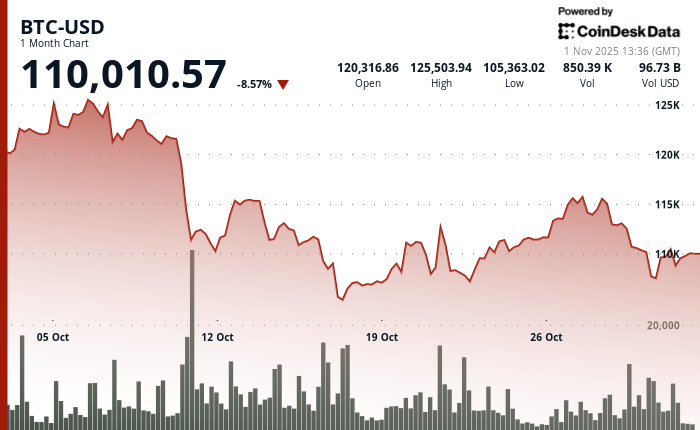
Bitcoin Broke the Uptober Streak, but a Handful of Altcoins Managed to Finish Higher
Bitcoin closed October lower, snapping its six-year “Uptober” streak, while BNB eked out a gain as a mid-month jolt left most majors stuck below early highs.
The shock landed on October 10, when President Donald Trump threatened steep new tariffs on China amid rare-earth tensions, touching off a broad risk-off move. Bitcoin slid from roughly the low $120,000s toward about $105,000 in fast trade, and altcoins fell harder as thin liquidity met heavy leverage.
Over October 10-11, derivatives venues auto-liquidated an estimated tens of billions of dollars in positions, and more than half a trillion dollars in market value evaporated before a shaky rebound set a floor. This was a macro headline colliding with crowded positioning, not a crypto-specific catalyst.
By month’s end, CoinDesk Data showed Bitcoin finishing October in the red, breaking what traders call “Uptober.” On CoinGlass’s Bitcoin Monthly Returns heat map, October 2025 is the first red October since 2018 and ends a green run that stretched from 2019 through 2024.
This lore matters because the pattern persisted across very different regimes—late-cycle surges and post-sell-off recoveries alike. So, a miss in 2025 resets expectations and reminds traders that seasonality is a tendency, not a promise.
The month’s shape was remarkably consistent across one-month TradingView charts. Bitcoin started firm, suffered the synchronized October 10-11 air pocket, then spent the back half of the month climbing without retaking its early peak.
Ether traced the same flush-base-fade arc and stalled beneath the round-number band it tested in the first week. Solana and XRP echoed that rhythm with a sequence of lower highs into the final sessions.
In practical terms, late rebounds did not flip resistance into support, which is why the monthly candles printed red for those four.
BNB broke ranks. It absorbed the mid-month downdraft, carved higher lows through the final third of the month, and closed October about 4.2% higher—leaving a green print while peers slipped.
Outside the top 10, several names also finished October up, including ZEC, XMR, and WBTC, underscoring that pockets of strength persisted beneath the surface even as leaders cooled.
Why the “Uptober” brand stuck is straightforward. It is a community nickname born from Bitcoin’s tendency to post gains in October over the past decade, reinforced by that CoinGlass grid showing every October from 2019 through 2024 in the green.
Flipping the cell to red this year does not erase the historical tilt, but it does nudge risk management back to tape confirmation rather than calendar confidence.
The numbers that different dashboards show can diverge for mundane reasons. CoinGlass presents calendar-month, close-to-close results that isolate October. Rolling 30-day readings on major trackers update continuously and often include early-October highs, so they can show a steeper decline into November 1 even when the strict calendar month looks milder.
The direction is the same; the measurement window drives the magnitude.
https://bitcoinethereumnews.com/bitcoin/bitcoin-broke-the-uptober-streak-but-a-handful-of-altcoins-managed-to-finish-higher/?utm_source=rss&utm_medium=rss&utm_campaign=bitcoin-broke-the-uptober-streak-but-a-handful-of-altcoins-managed-to-finish-higher
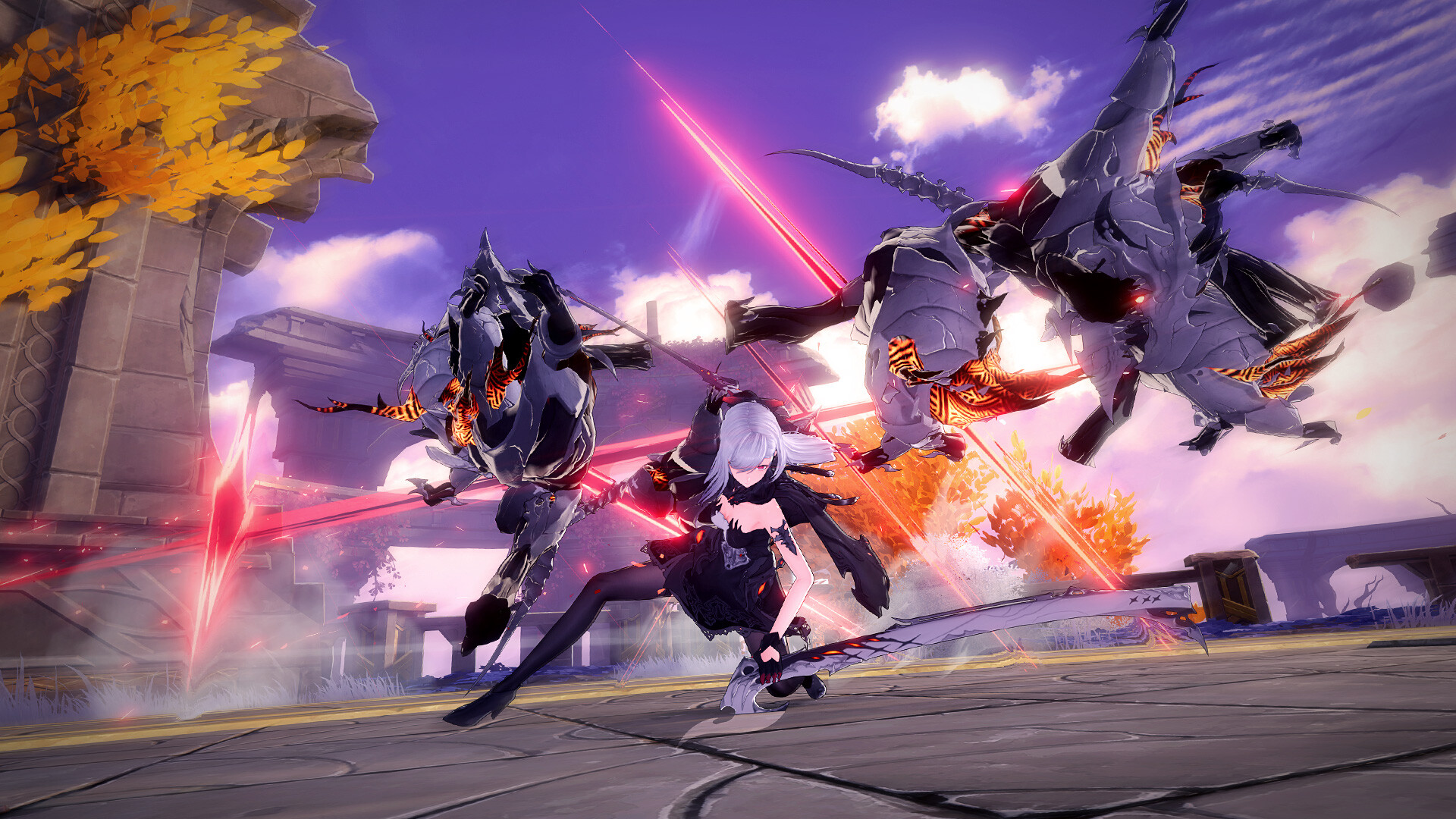
How to add friends in Duet Night Abyss
**How to Add Friends in Duet Night Abyss**
Duet Night Abyss has arrived, bringing a colorful cast of characters, fun movement mechanics, and a plethora of abilities and weapons to master. Needless to say, the grind is much more enjoyable with other players. Here’s a clear guide on how to add your friends in Duet Night Abyss.
—
### Complete the Black Iron and White Flower Questline
Before you can add friends, you need to progress through the entire **Black Iron and White Flower** questline. This storyline revolves around your new companion, Psyche, and uncovering the mysteries surrounding her personal life. Strange events are unfolding, and it’s up to you to get to the bottom of things.
This part of the game is fairly straightforward. All you need to do is keep an eye on your quest tracker and complete the Main Quests as efficiently as possible. This main story arc will continue throughout the game, so following it closely is key.
—
### Questline and Prerequisites
Here are the quests you need to complete to unlock the ability to add friends:
– The Reborn
– The Art of Survival
– Crystallo of Stella
– The Secret Behind the Door
– Prey Vs Hunter
*(Prerequisite: Complete the Commission: Mediation from the Commissions section of the Combat tab)*
– On the Eve of Bloom
– In The Depths of Winter
*(Prerequisite: Complete the Prey Vs Hunter quest)*
– A Bouquet for a Maiden
*(Prerequisite: Complete In The Depths of Winter and a quest called Dedicated Chef, which you can find listed under In The Depths of Winter in the quests tab)*
– On a Gentle Breeze
—
### Unlocking the Friends Tab
Once you have completed all these quests, the **Friends** tab will be unlocked. You can find this tab in your main menu, as shown in the accompanying image.
To add friends:
1. Open the **Friends** option from the main menu.
2. Click on **Add Friends**.
3. You will need your friend’s **UID** — this unique identifier can be found on their main Profile, located at the top of their main menu screen, just to the right of their avatar and beneath their name.
—
Playing Duet Night Abyss with friends adds a new layer of fun and teamwork to the experience. Follow this guide to connect with others and enjoy the game together!
https://www.shacknews.com/article/146543/how-to-add-friends-in-duet-night-abyss