How to disable crossplay in ARC Raiders?

**How to Disable Crossplay in ARC Raiders: A Step-by-Step Guide**

Crossplay in ARC Raiders is generally turned on by default. Embark’s new extraction shooter has undoubtedly been one of the most popular releases in 2025, attracting a large player base from both console and PC platforms. Players have eagerly tuned in to experience what the title has to offer.

However, not everyone prefers to face players from different platforms. If you want to disable crossplay in ARC Raiders, you’re in luck! This article provides a detailed guide on how to turn off crossplay and customize your matchmaking experience.

### Why Disable Crossplay in ARC Raiders?

There are several reasons why you might want to turn off crossplay. The primary concern for many players is the skill difference, especially when competing against opponents using a mouse and keyboard. Mouse and keyboard users often have superior aiming capabilities compared to controller users, which can make PvP encounters feel unbalanced and unfair.

If you want a more level playing field and prefer to compete against players on the same platform, disabling crossplay is the ideal choice.

### How to Disable Crossplay in ARC Raiders: Step-by-Step

Follow these simple steps to disable crossplay in ARC Raiders:

1. **Launch ARC Raiders** on your computer or console.
2. From the **main menu**, navigate to the **Settings** menu. You can access it by clicking the cogwheel icon.
3. Go to the **Gameplay** tab within Settings.
4. Scroll down until you find the **Crossplay** option.
5. Since crossplay is enabled by default, toggle the option to **switch it off**.

### Verifying Crossplay Status

After disabling crossplay, you can confirm the change by looking near the **Play** button on the main menu. It should display **“Crossplay: Off”**.

If this status appears, your matchmaking will now be limited to players on your current platform only, ensuring a more balanced experience with your preferred input method.

### Additional Resources

Looking for more ARC Raiders tips and walkthroughs? Check out these guides:

– How to complete the **Off The Radar** quest (Field Depot location)
– How to complete the **With A Trace** quest in ARC Raiders
– How to get the **Sentinel Firing Core** in ARC Raiders
– How to complete the **Greasing Her Palms** quest
– How to complete the **What Goes Around** quest
– Where to find a **Supply Call Station** in ARC Raiders
– Where to find **lemons and apricots** in ARC Raiders
– How to complete the **Switching the Supply** quest in ARC Raiders

### Need Help with Crosswords or Wordle?

Also, if you’re a fan of word puzzles, check out the latest crossword answers including:

– NYT Mini Crossword Answers
– LA Times Crossword Answers
– Atlantic Crossword Answers

And if you’re stuck on today’s Wordle, try using our **Wordle Solver** for quick solutions!

That’s everything you need to know about disabling crossplay in ARC Raiders. We hope this guide helps you tailor your gaming experience exactly how you like it. Enjoy your time in the game!
https://www.sportskeeda.com/esports/how-disable-crossplay-arc-raiders

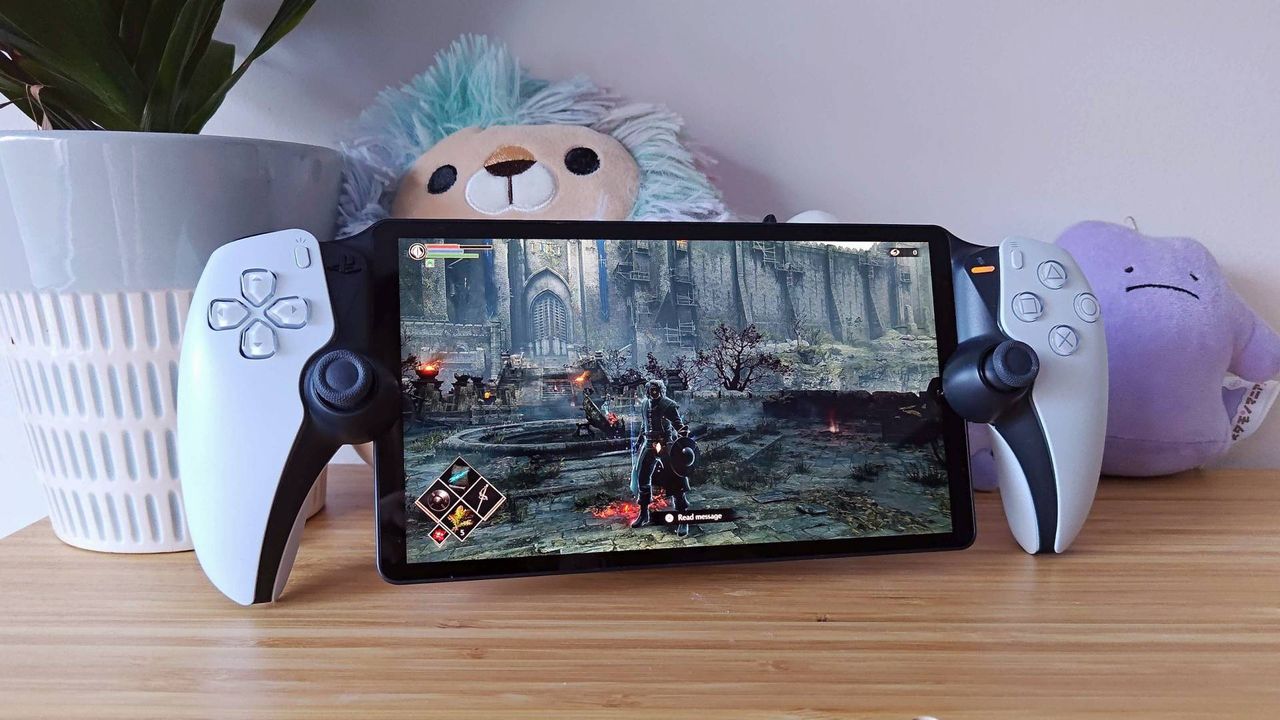
PlayStation Portal now lets you stream your own digital games to the handheld without a PS5, but you still need to have the most expensive version of PS Plus to do so

Sony has announced a new update for the PlayStation Portal, bringing a range of exciting features designed to enhance the handheld gaming experience.

One of the most notable additions is the expansion of cloud streaming to include your personal game library. Previously, players could stream games from the PS Plus Game Catalog and Classics Catalog, but with this update, you’ll be able to stream your own digital PS5 games directly on the PlayStation Portal. Sony highlights that “thousands of PS5 games support” cloud streaming, naming popular titles like Astro Bot, Borderlands 4, Final Fantasy 7 Rebirth, and Ghost of Yotei as examples. However, not every game is available; for instance, John Fart: Text-iverse of Craziness does not appear on the supported list.

It’s important to note that even with this expanded streaming capability, a PS Plus Premium subscription is required to stream your own games through the cloud. For those without the premium tier, using Remote Play—Sony’s original streaming feature—might still be the better option.

This update also introduces a redesigned user interface tailored to the platform’s current capabilities. The new UI features three main tabs: “Remote Play,” “Cloud Streaming,” and “Search,” making navigation simpler and more intuitive.

In addition to streaming improvements, several new features have been added to the PlayStation Portal:

– **3D Audio Support:** Enhances spatial sound for a more immersive gaming experience.
– **Password Lock:** Adds an extra layer of security to your device.
– **In-Game Purchases:** Allows you to buy content without leaving your game.
– **New Accessibility Options:** Improves usability for a wider range of players.

This update marks a significant step in evolving the PlayStation Portal from a device primarily for remote streaming to a more versatile handheld gaming companion. Keep an eye out for the rollout and enjoy the enhanced functionality it brings.
https://www.gamesradar.com/platforms/playstation/playstation-portal-now-lets-you-stream-your-own-digital-games-to-the-handheld-without-a-ps5-but-you-still-need-to-have-the-most-expensive-version-of-ps-plus-to-do-so/

Citi teams up with Coinbase to boost digital asset payment capabilities for clients

Citigroup (NYSE: C) is partnering with crypto exchange Coinbase Global (NASDAQ: COIN) to develop digital asset payment solutions tailored for the Wall Street bank’s institutional clients, the companies announced on Monday.

The initial phase of this collaboration will focus on streamlining the process, making it easier and more efficient for institutional investors to access and utilize digital asset payment capabilities. This move reflects the growing interest among traditional financial institutions in integrating cryptocurrency services to better serve their clients.
https://seekingalpha.com/news/4508821-citi-teams-up-with-coinbase-to-boost-digital-asset-payment-capabilities-for-clients?utm_source=feed_news_all&utm_medium=referral&feed_item_type=news

Watch Samsung unveil its Vision Pro competitor today, revealing four key things

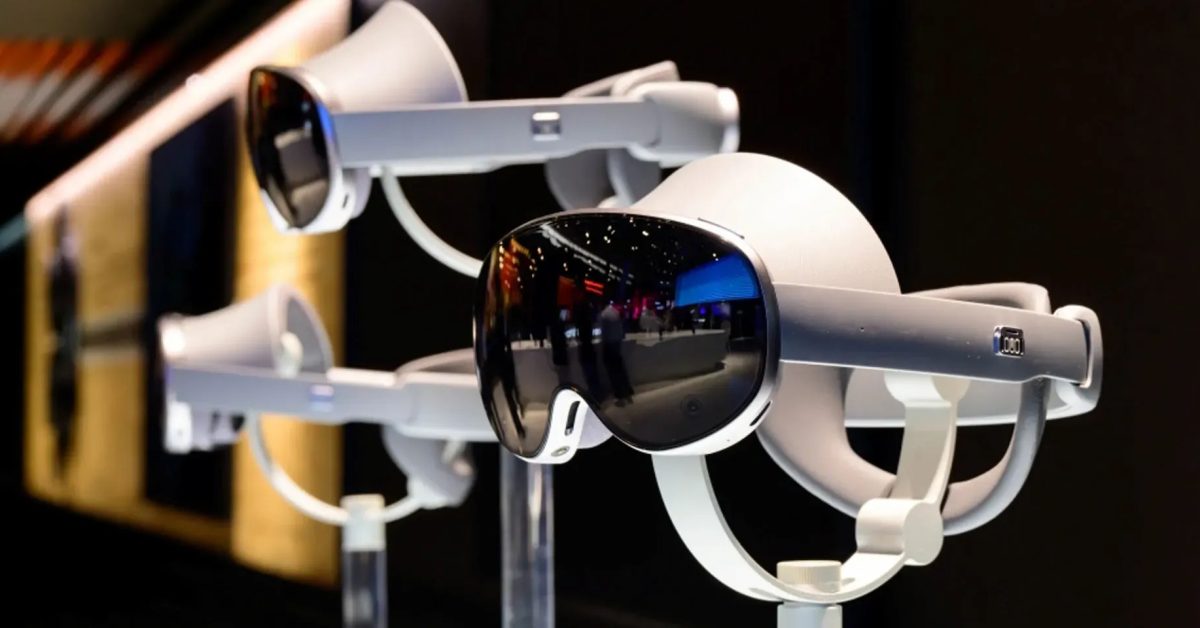
Samsung Officially Reveals Project Moohan, Its Vision Pro Competitor, at Galaxy Event

Samsung is set to officially reveal Project Moohan, its competitor to Apple’s Vision Pro, during its Galaxy Event later today. While the company has allowed select tech writers to try a prototype version, many details remain unclear—including the official name of the device.

Hands-On Impressions So Far

Our sister site 9to5Google had an opportunity to try the prototype back in December last year, and Abner Li came away impressed. Tech influencer MKBHD (Marques Brownlee) also praised the device, highlighting its onboard AI capabilities as a key differentiator from Apple’s Vision Pro.

What We Know So Far

Abner Li noted that the device is generally on par with the Vision Pro in terms of hardware but that the AI features make it feel “wildly new.” Samsung’s new operating system, Android XR, appears comparable to Apple’s visionOS yet offers fresh and natural innovations through AI components named Gemini and Project Astra.

Marques Brownlee explained the impact of these AI features: at any time, users can simply “go home” in the headset and hit the Gemini button to start an instance of Gemini running live in the background. This conversational AI allows for natural back-and-forth discussions.

Gemini is multimodal—which means it can “see” everything the user sees inside the headset. For instance, you can ask Gemini about an object right in front of you and get responses as if you had just taken a photo of it with your phone. This is a major advancement compared to the Vision Pro, which currently lacks any AI intelligence features and likely won’t be incorporating them any time soon.

Four Key Questions to Be Answered Today

Despite these insights, several important details remain unknown ahead of the launch:

1. **Official Name:** Samsung has only referred to the device as Project Moohan so far. Will it keep this name, or reveal something else?

2. **Final Features:** Is the production model merely a more polished version of the prototype, or are there additional, unannounced features?

3. **Release Date:** Although the official launch is today, Samsung has indicated the headset won’t be available for purchase until sometime next year. We hope for a more specific timeline.

4. **Pricing:** Apple’s Vision Pro carries a very high price tag, limiting its reach to developers and early adopters. Will Samsung follow a similar approach, or offer a more affordable option that could appeal to a broader audience?

Why This Matters for Apple Users

For those invested in the Apple ecosystem, switching to Samsung’s headset seems unlikely. However, Samsung’s entry into the mixed reality space is significant. Competition generally drives innovation and can lead to better features and more competitive pricing from all players—including Apple.

Event Details

The Samsung Galaxy Event livestream begins at 7:00 PM PT / 10:00 PM ET. You can watch it live [here].

**Highlighted Accessories:**

– Official Apple Store on Amazon
– Apple 40W Dynamic Power Adapter for iPhone 17
– Official iPhone Air Cases and Bumpers
– iPhone Air MagSafe Battery
– Official iPhone Air Case
– Official iPhone 17 Cases
– Official iPhone 17 Pro and Pro Max Cases

*Photo credit: Samsung*
https://9to5mac.com/2025/10/21/watch-samsung-unveil-its-vision-pro-competitor-today-revealing-four-key-things/


Exit mobile version